

CM Punjab Laptop Scheme 2026
The CM Punjab Laptop Scheme 2026 is giving free laptops to top students across Punjab. But one question keeps popping up in comments and messages: which laptop model will you actually get, and is it good enough for your field of study?
This guide breaks down the confirmed specifications, explains why the scheme uses one standard configuration instead of multiple models, and helps you understand how to make the most of your laptop once it arrives.
CM Punjab Laptop Scheme 2026 Ballot Result Check Online Using CNIC
You Don’t Choose the Brand, But You Do Get a Powerful Laptop
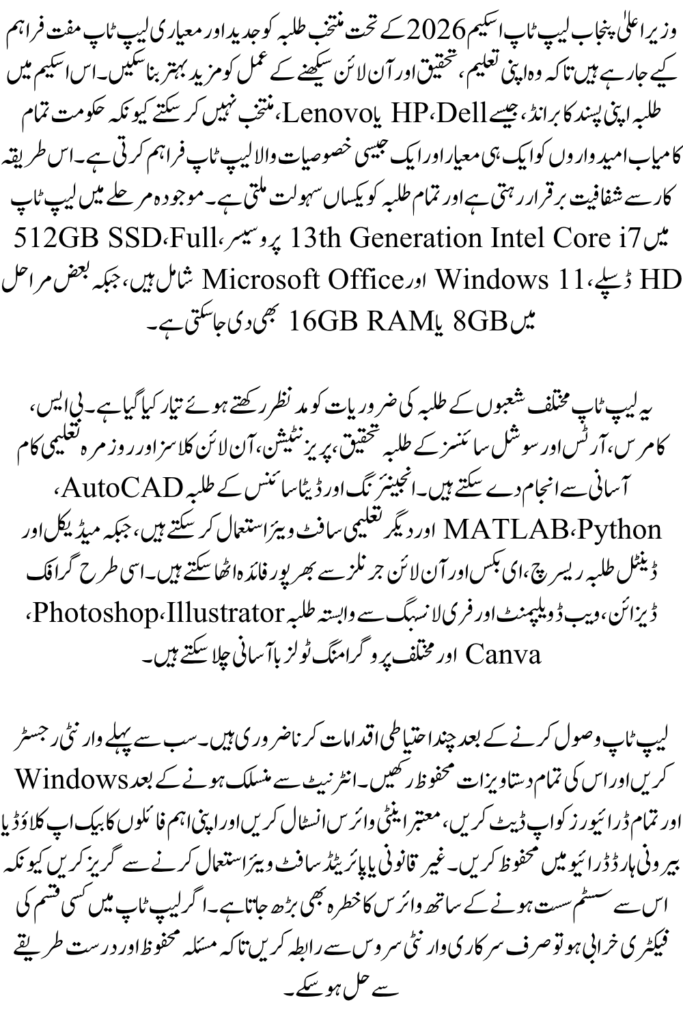
Unlike buying a laptop from a shop, the CM Punjab Laptop Scheme does not let students pick between brands like HP, Dell, or Lenovo. The Punjab Higher Education Department selects one standard configuration for all eligible students in a batch. This keeps the process fair and transparent, since every student in the same phase receives the same quality of machine.
For the 2026 batch, the confirmed specifications are:
- Processor: Intel Core i7, 13th Generation
- RAM: 8GB to 16GB depending on the phase
- Storage: 512GB SSD
- Display: Full HD
- Operating System: Windows 11 with pre-installed MS Office
This is a major upgrade compared to earlier phases of the scheme, which often came with lower-end processors. The market value of this laptop is estimated between PKR 180,000 and 220,000, which is a serious asset for any student.
Why “Which Model Is Best” Actually Means “What Can This Laptop Handle”
Since every student gets the same base configuration, the real question isn’t which brand is best. It’s whether this configuration is good enough for your specific field. Here’s how it breaks down by student type.
For BS and General Degree Students
If you’re studying business, arts, social sciences, or general BS programs, this laptop is more than enough. A Core i7 processor with an SSD handles research, typing, presentations, and online classes smoothly. You’ll rarely feel any slowdown for day to day academic work.
For Engineering and Data Science Students
Engineering software like AutoCAD, MATLAB, and basic simulation tools run well on this configuration, especially with 16GB RAM. Data science students working with Python, Jupyter notebooks, or small machine learning models will also find this laptop capable for coursework, though very heavy training tasks may need cloud resources.
For Medical and Dental Students
Medical and dental students mostly need a laptop for research, note taking, and accessing digital resources like anatomy apps or online journals. This configuration is more than sufficient, and the SSD ensures fast boot times, which matters when you’re switching between apps during study sessions.
For Graphic Design and Creative Students
This is where the laptop shows its real strength. A Core i7 processor combined with an SSD makes tools like Adobe Photoshop, Illustrator, and Canva run smoothly. If you’re doing freelance design work alongside your studies, this laptop can genuinely support that income stream too.
For Coding and Freelancing
Whether you’re learning web development, mobile app development, or doing freelance work on platforms like Fiverr and Upwork, this laptop’s specs are well suited. The SSD speeds up compiling and running code, and 16GB RAM (where applicable) allows you to run multiple development tools at once.
What to Do Once You Receive Your Laptop
Getting the laptop is just the first step. Here are a few tips to protect and use it well.
- Register your warranty immediately. Keep the invoice and warranty card safe.
- Update Windows and drivers as soon as you connect to the internet.
- Install antivirus software to protect against malware, especially if you download study material from various sites.
- Back up important data using cloud storage or an external drive, so you never lose your work.
- Avoid installing pirated software, since it can slow down the system and expose it to viruses.
Common Questions Students Ask
Can I request a different brand or model?
No. The department assigns laptops based on the finalized batch configuration. There is no option to request a specific brand.
Will the specifications change in future phases?
Yes, specifications have improved with each phase. Always check the official CM Laptop Portal for the latest confirmed specs before your batch is announced.
Is this laptop good enough for four years of a degree?
For most fields, yes. A Core i7 with an SSD is a solid long-term configuration. Just keep your software updated and avoid overloading the storage.
What if my laptop has a manufacturing defect?
Report it through the official warranty process mentioned in your laptop’s documentation. Never approach unofficial repair centers for warranty claims.
CM Punjab Laptop Scheme 2026 Phase 2 Online Apply With Original Document
Final Thoughts
The CM Punjab Laptop Scheme 2026 isn’t about choosing between models. It’s about receiving a genuinely capable machine that can support almost any field of study, from engineering to graphic design to freelancing. The real value comes from how you use it. Keep it updated, protect your data, and use the tools available to you to build real skills during your studies.